
• it_ITItalian
  • Itineraries
    • Search Itinerary
    • Creating and managing Itineraries
  • Links
  • Profiles
  • Models
  • Users
  • Accounts and billing

Itineraries

10
  • Panoramica e flusso di lavoro
  • Dati di base dell’itinerario
  • Currency and prices
  • Struttura dell’itinerario
  • Prenotazioni & Attività
  • Places (Punti di interesse)
  • Task & Tag
  • Layout & Personalizzazione
  • Contenuti multimediali
  • Pubblicazione, Condivisione & Collaborazione

Links

1
  • Connettere tramite API il vostro gestionale

Personalizzazione

1
  • Profiles

Models

1
  • Management of Models and Templates

Configurazione Utente e Dettagli di Fatturazione

2
  • Settings account and billing
  • Users
View Categories
  • Home
  • Docs
  • Models
  • Management of Models and Templates

Management of Models and Templates

aferri
Below you will find a step by step guide on how to use the Templates section of TripsAround to create activity plans and reusable in most itineraries.

Create a new template #

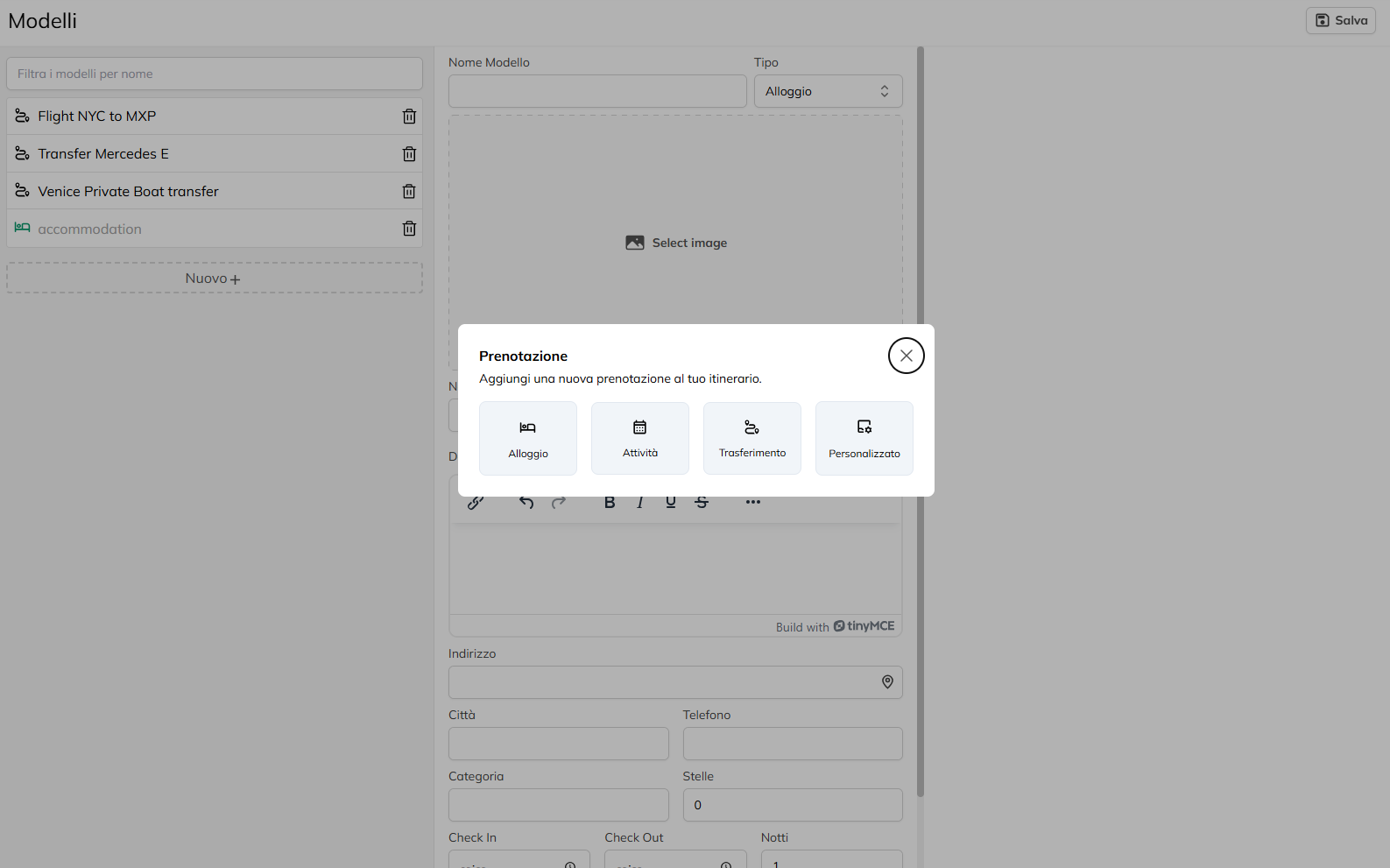
Click on the “New +” to start the creation of a new model.
Select the Type of the template, if it comes to accommodation (Hotel, Apartment, etc), a business Visit, Tour, Experience, etc), a transfer (Car, Train, Boat, etc) or custom service.
Please fill in the fields Name, Price (if applicable), and Description, providing all the essential information for the person who will use this model in their own routes (such as place of departure, details of the experience and the services included).

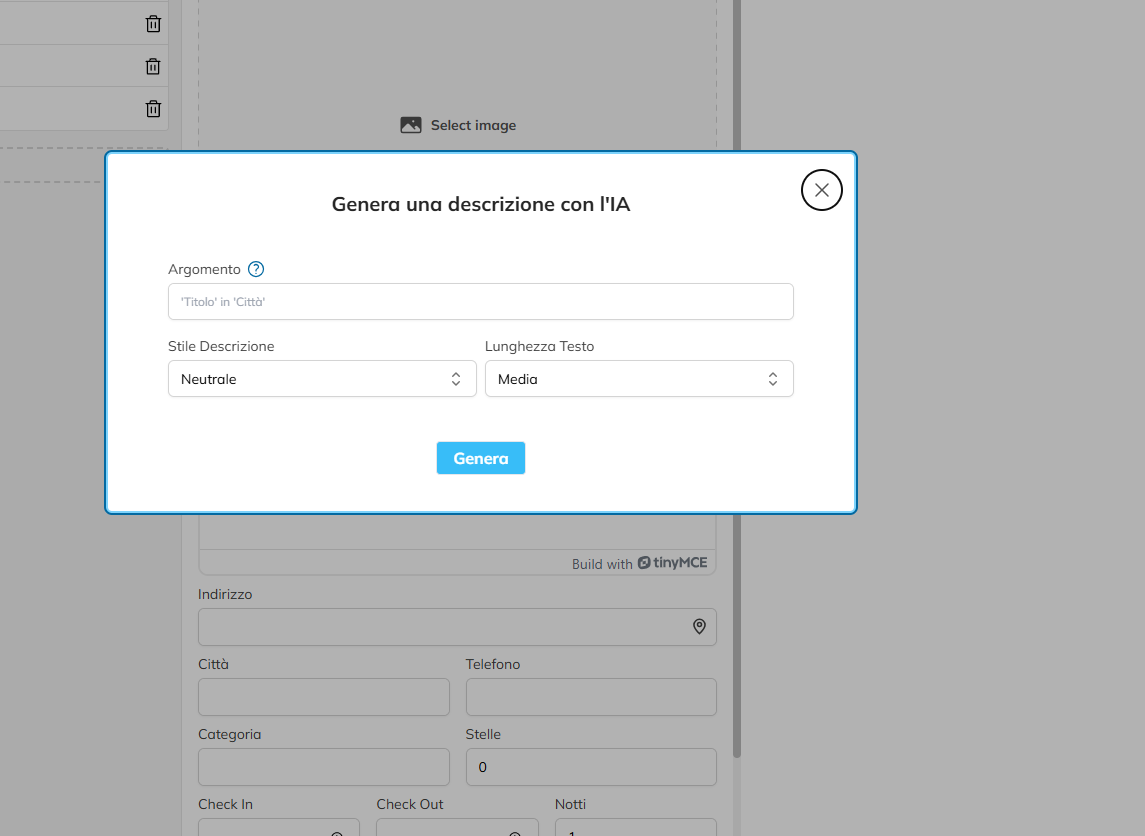
You can generate a description using the IA by clicking on the appropriate button, and by entering a command prompt, choose the tone and length of the text and click “Generate”, then you will see that the field will be auto-populated.
Enter any specific fields, such as Departure, Arrival, Time of Departure and Time of Arrival if you are creating a model for the transfer.
Share This Article :

  • Facebook
  • X
  • LinkedIn
  • Pinterest

Was it helpful ?

  • Happy
  • Normal
  • Sad

© 2021-2025 – Powered By ABSOLUTE.